Step‑by‑Step Guide: How to Deliver a Classroom Presentation

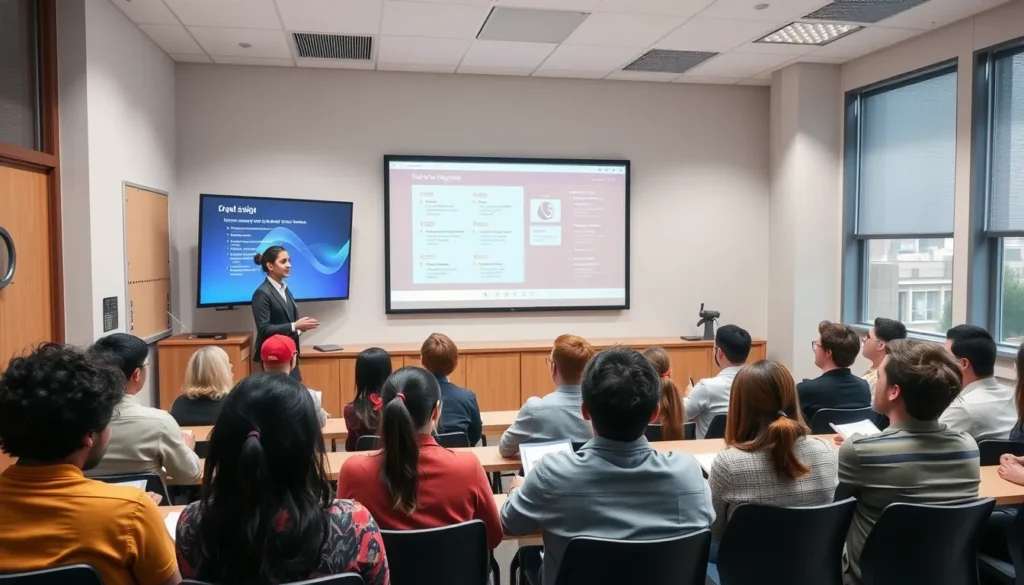
This guide is for teachers shaping lessons and students stepping up to share knowledge. Whether you’re crafting a short report or a full‑scale project showcase, you’ll find a concise, actionable plan for How to Prepare and Deliver a Classroom Presentation that fits any subject or grade level.
Follow the numbered workflow to define your learning objective, build a slide deck with speaker notes, insert engagement cues, and close with a feedback loop. Practical tips and common mistakes are highlighted so you can move confidently from planning to post‑presentation reflection.
Clarify Learning Objectives and Audience Needs
Start by stating a single, measurable learning objective. Phrase it as “Students will be able to …” and include the exact skill or knowledge they should demonstrate by the end of the session.
- Define the objective. Write it in one sentence; the result is a focused target that guides every later decision.
- Check prior knowledge. Use a quick poll, exit ticket, or informal discussion to discover what students already know. The result is a realistic starting point that prevents redundancy.
- Factor in class size and dynamics. Note whether you’re addressing a small group, a whole class, or a mixed‑ability cohort. The result is an appropriate tone—more conversational for ≤15 students, more structured for larger groups.
- Identify accessibility needs. Ask about language support, visual or hearing accommodations, and any technology constraints. The result is a presentation plan that is inclusive and compliant with accessibility standards.
Common mistakes to avoid:
- Writing a vague objective like “understand the topic” instead of a concrete action.
- Assuming all students share the same background knowledge.
- Designing a slide deck that is too detailed for a large lecture or too sparse for a small workshop.
- Overlooking accessibility, which can disengage learners who need accommodations.
Create a Logical Structure and Outline
Mapping your presentation into a three‑part framework—intro, body, conclusion—is a core step in How to Prepare and Deliver a Classroom Presentation and gives a clear path for learners while keeping the Slide deck focused.
- Define the intro’s purpose. State one Learning objective, preview the agenda, and include an Engagement cue that sparks curiosity; the result is a ready audience that knows what to expect.
- Build the body around three to five key points. Assign each Slide deck slide a single point, add concise Speaker notes, and decide which slides will host a question or short activity; this creates a logical flow and regular interaction.
- Craft the conclusion. Restate the original Learning objective, summarize the three main points, and embed a final Engagement cue that prompts reflection; learners leave with a clear take‑away.
- Sketch the outline. Write a brief outline that lists each slide title, its key point, and the planned Engagement cue or activity; this becomes a quick reference for the Feedback loop after delivery.
Common mistakes to watch for:
- Putting multiple ideas on one slide, which dilutes focus.
- Saving all questions for the end, causing a disengaged middle section.
- Skipping the conclusion recap, leaving learners without a clear summary.
- Neglecting to note where activities will occur, leading to missed Engagement cues during the talk.
Design Effective Visual Aids
Designing visual aids that reinforce your learning objective makes the How to Prepare and Deliver a Classroom Presentation process smoother and keeps the slide deck focused.
- Choose a consistent template. Apply the same fonts, colors, and layout to every slide so learners can follow the flow without distraction.
- Limit bullet text to 6‑8 words. Short phrases act as prompts for you, not paragraphs for the audience.
- Insert high‑contrast images or diagrams. Visuals should be bright against the background and directly illustrate the concept you’re teaching.
- Embed speaker notes. Write brief cues that remind you of key points, transitions, and any engagement cue you plan to use.
Common pitfalls to avoid: using a different theme on each slide, which breaks visual continuity; cramming long sentences into bullets, which overwhelms readers; selecting low‑resolution or muted‑color images that fail to capture attention; and leaving speaker notes blank, forcing you to improvise and lose timing.
Rehearse Delivery and Manage Timing
With your slide deck and speaker notes ready, shift focus to rehearsing the delivery. This is the most reliable way to master How to Prepare and Deliver a Classroom Presentation without losing time on stage.
- Run through the full deck aloud. Speaking each line as you would in class confirms that your learning objective is clear and that the flow matches your intended engagement cue.
- Time each segment. Use a stopwatch or phone timer; note the minutes per slide so the total stays within the allotted slot, creating a built‑in feedback loop for pacing.
- Practice transitions and voice modulation. Move smoothly between sections, vary pitch for emphasis, and pause before key points to let students absorb information.
- Record a short rehearsal. Play it back to spot filler words, rushed sentences, or uneven pacing, then adjust your speaker notes accordingly.
Common pitfalls: skipping the timer and overrunning, ignoring recorded playback, or rehearsing silently—each leads to missed engagement cues and a disrupted feedback loop.
Engage the Classroom During the Presentation
Begin every session with a hook that ties directly to the learning objective—pose a surprising fact, a short story, or a provocative question that the slide deck will later answer. This immediate relevance primes students to listen for the answer.
Insert at least two engagement cues throughout the presentation. Simple polls (show of hands or digital clicker), a quick think‑pair‑share, or a one‑sentence written response keep attention high and give you real‑time insight into comprehension. Mark these moments in your speaker notes so you don’t miss them.
Maintain eye contact with different sections of the room, shifting every 10–15 seconds. Notice body language: slouched shoulders or glazed eyes signal loss of focus, prompting you to ask an engagement cue or vary your pace.
- Technical glitch backup: Keep a printed copy of key slides and a short outline of speaker notes. If the projector fails, you can continue the narrative without losing momentum.
- Common mistake: Relying solely on the slide deck and forgetting to scan the room, which leads to disengagement and a broken feedback loop.
- Common mistake: Skipping the backup plan, causing a prolonged silence that erodes confidence.
By weaving these actions into how to prepare and deliver a classroom presentation, you turn a static lecture into an interactive learning experience that feeds directly into the feedback loop.
Collect Feedback and Reflect for Improvement
Closing a session is the moment to close the feedback loop and turn observations into concrete improvements for the next iteration of how to prepare and deliver a classroom presentation. Follow these three actions right after the last slide.
- Distribute an exit ticket or digital survey. A single prompt—such as “What was the clearest part of today’s lesson, and what still feels confusing?”—captures immediate reactions while the material is fresh. Collect responses before students leave the room to ensure a high response rate.
- Log audience questions that signal gaps. During the Q&A, write down any repeated or unexpected queries. These questions reveal where the original learning objective or the slide deck may have fallen short, providing concrete data for revision.
- Schedule a brief debrief. Within 24‑48 hours, review the exit tickets, speaker notes, and question log. Adjust the learning objective, refine visual cues, or rehearse new engagement cues as needed. Document the changes in a simple “what worked / what to tweak” table for the next rehearsal.
Common mistake: Ignoring the exit ticket because it seems informal. Skipping this step leaves the feedback loop incomplete and perpetuates the same gaps in future presentations.
